
Quick class poll
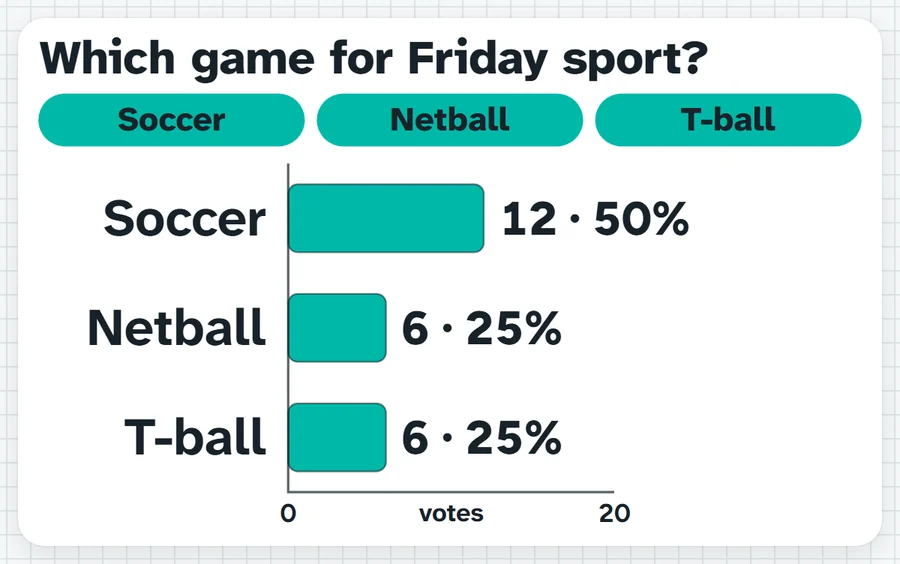
A question with two to six options: press one for each hand that goes up. Results show as bars, big numbers or a ring, or stay hidden until you reveal them.
Hands up for soccer. Keep them up while I count.What it sounds like in the room
Three ways teachers use it
- Morning check-in in Year 1: happy, okay or tired, one tap for each child.
- Exit ticket in Year 9 maths: got it, nearly or not yet on Pythagoras.
- Home group: kayaking, high ropes or bushwalk for camp, results hidden until everyone has voted.
Before you ask
Do students need a login or a device?
No. It runs on your screen at the front of the room. Students never sign in to anything.
What does it run on?
A web page in Chrome or Edge, on an interactive panel, a projector from your laptop, or a TV on a trolley. There is nothing to install.
Teachers also look for this as: classroom poll, quick class vote, hands up poll for the board, exit ticket poll.