
Interactive number line
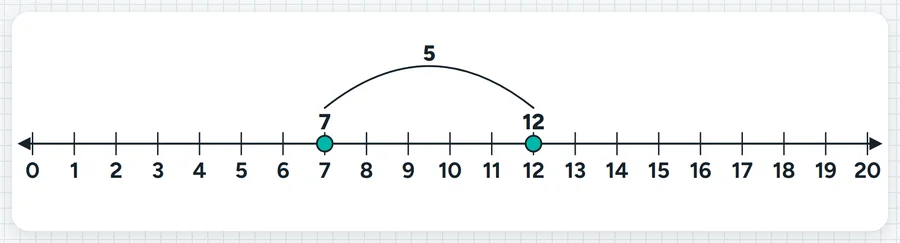
A number line from any start to any end in the step you choose, negatives and decimals included. Tap a number to mark it, and turn on jumps to show the distance between marks.
Start on seven, land on twelve. Show me the size of the jump on your fingers.What it sounds like in the room
Three ways teachers use it
- Skip counting in Year 2: zero to fifty in fives, tapping each landing spot.
- Year 7 integers: minus ten to ten, and mark where minus three plus five lands.
- Year 5 decimals: zero to one in steps of 0.1 to place 0.4 and 0.7.
Goes well beside
Before you ask
Do students need a login or a device?
No. It runs on your screen at the front of the room. Students never sign in to anything.
What does it run on?
A web page in Chrome or Edge, on an interactive panel, a projector from your laptop, or a TV on a trolley. There is nothing to install.
Teachers also look for this as: interactive number line, number line for the whiteboard, number line with negative numbers, skip counting number line.